generate a beautiful map
toys and tools homepage
这里推荐的是一个比较好玩的项目,是github上面的maptoposter,portal在这里
这个项目可以实现生成不同风格的城市地图。
首先是安装方式,作者提供了uv和python venv两种方式,我一直都是直接用rye的,没有直接且详细接触过uv,就按照pip+venv方式安装,直接运行pip install -r requirements.txt.
安装完需要的包之后就可以直接开始图片生成大法了,使用方法非常简单,python create_map_poster.py --city <city> --country <country> [options]
[options]这里可以指定主题,-t,这个项目主页展示了样例,现在来自己生成一张,比如说我想要世界第一城东京(2025年也是微弱优势战胜纽约了),就可以这样写:python create_map_poster.py --city tokyo --country japan -t forest,结果如下:
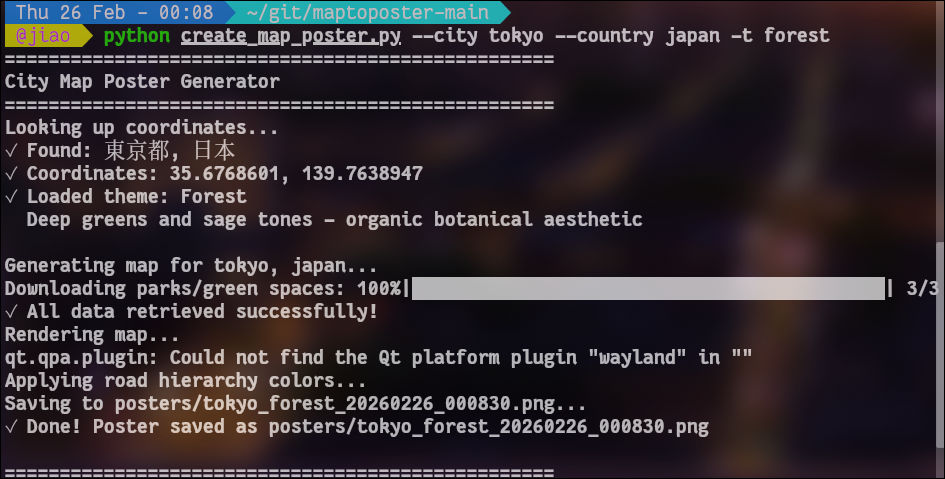
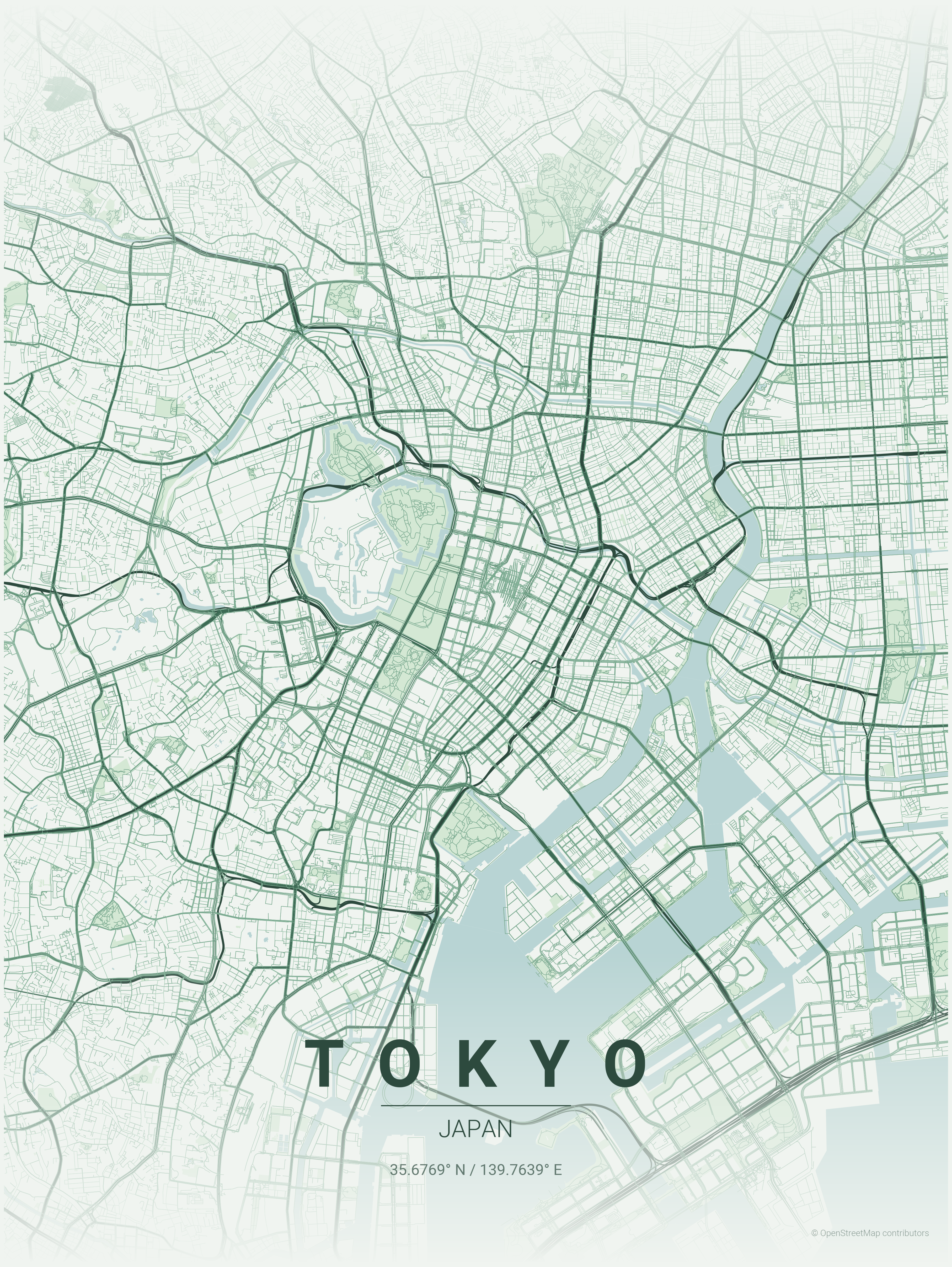
还有其他参数,比如自定义图片中心位置经纬度的参数-lat, -long, 强制修改图片上文字的--country-label, -dc, -dC, 设置图片显示半径的-d, 设置图片大小的-W, -H, 修改字体的--font-family.
作者还给出了推荐的尺寸:
| Target | Resolution (px) | Inches (-W / -H) |
|---|---|---|
| Instagram Post | 1080 x 1080 | 3.6 x 3.6 |
| Mobile Wallpaper | 1080 x 1920 | 3.6 x 6.4 |
| HD Wallpaper | 1920 x 1080 | 6.4 x 3.6 |
| 4K Wallpaper | 3840 x 2160 | 12.8 x 7.2 |
| A4 Print | 2480 x 3508 | 8.3 x 11.7 |
还有一些推荐用法:
1 | # Japanese |
半径建议:4000-6000m用于小城市,8000-12000m用于中等城市,15000-20000m用于大城市。
同时内置的主题可以在themes下查看。
总之是一个很有意思的小工具,可以用来制作漂亮的地图,我也做了几个。
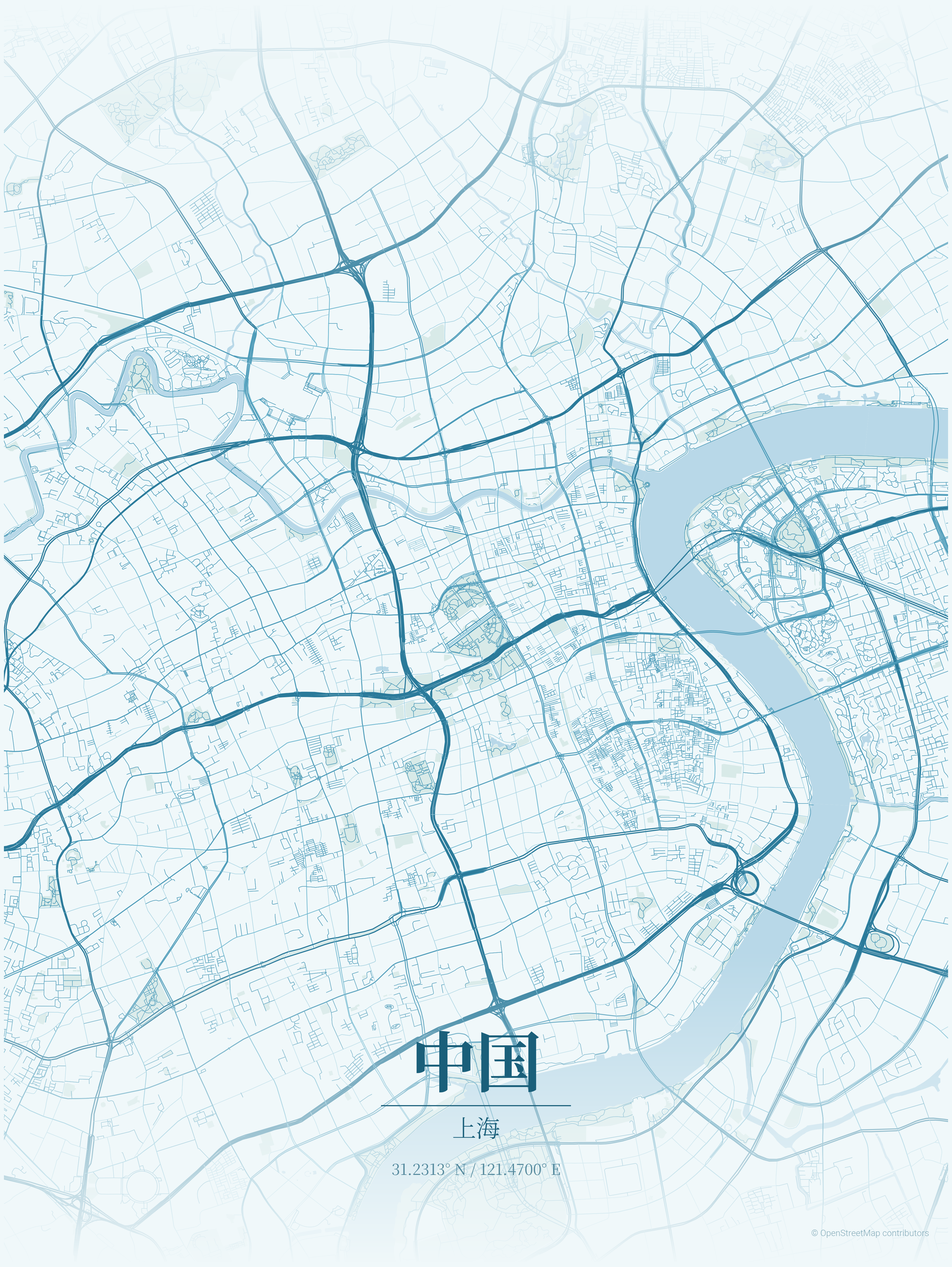
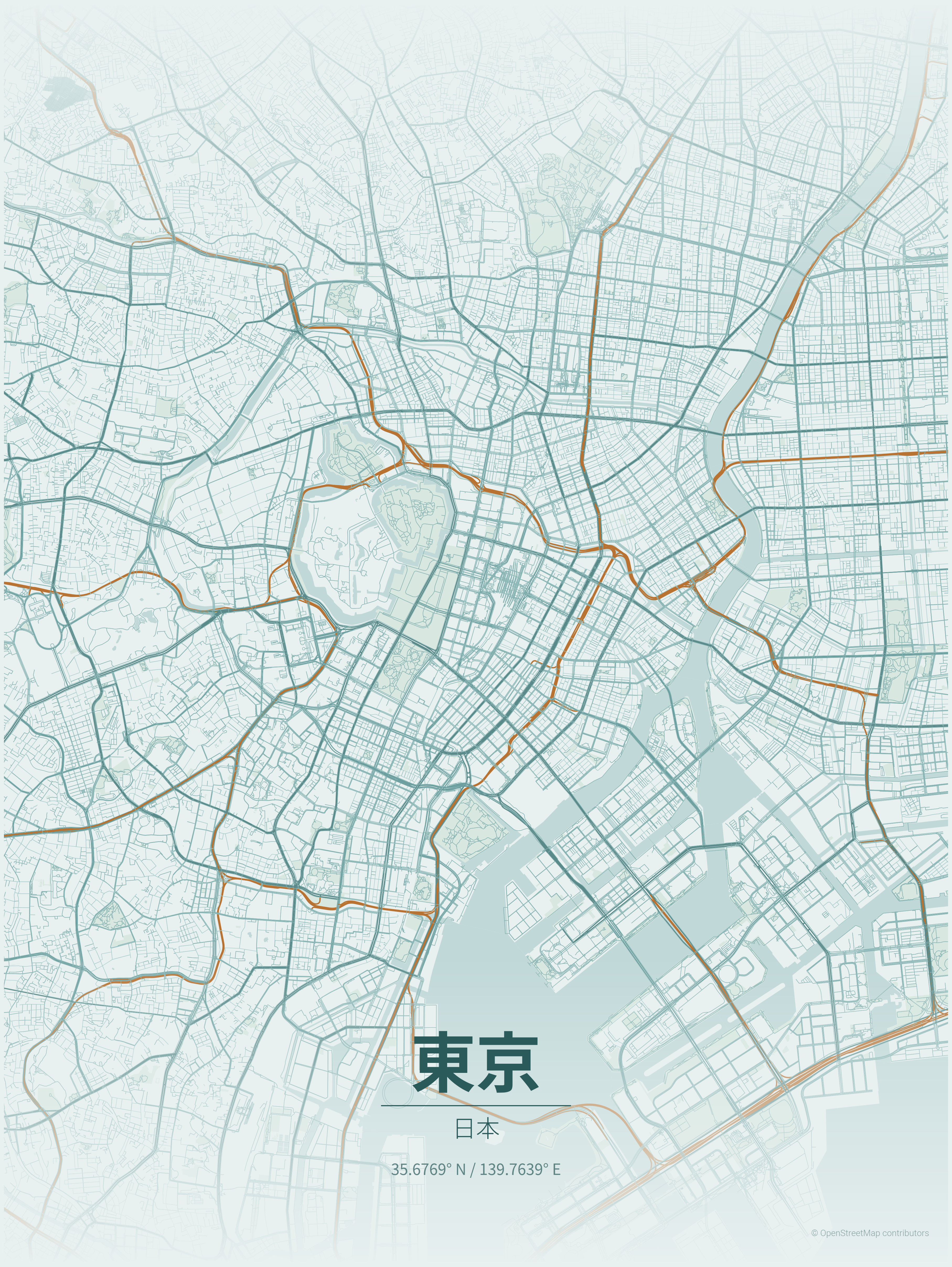
toys and tools homepage is here.
All articles on this blog are licensed under CC BY-NC-SA 4.0 unless otherwise stated.
Related Articles

2025-09-17
bilibili audio and video download
一个有趣的小工具。 感觉很久都没有下载b站视频到本地了,最近发现加jj已经不能下载了,还要下载软件,很生气,于是找了一个有趣的小工具来完成下载。 yt-dlp这是一个支持b站的命令行工具,可以提取音频和视频,获取方式很简单,只需要: 12pip install yt-dlp 使用方式也很简单: 1234567891011121314# download videoyt-dlp "https://www.bilibili.com/video/BVXXXXXXXXXX"# audio# -f ba : best audio# -x extract audio# --audio-format mp3 : trans to mp3# --audio-quality 0 : best qualityyt-dlp -f ba --audio-format mp3 --audio-quality 0 ...
2026-02-25
toys and tools
之前在需要用b站一些资源的时候写过一篇这个: bilibili audio and video download 其实就有过想法写一个好玩的小工具汇总,不过一直没有提上日程。这里也是来写一个汇总主页。 bilibili audio and video download generate a beautiful map